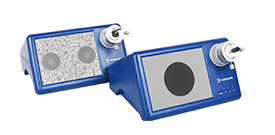
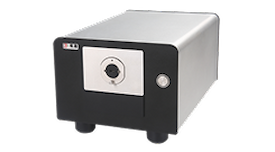
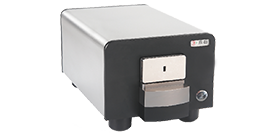
This plan aims to standardize the testing processes, methods, standards, and equipment used for MPO/MTP connectors during production, ensuring that shipped products meet or exceed industry standards (such as IEC 61754-7 and TIA-604-5) and customer-specific requirements. Through systematic testing, we guarantee the optical performance, mechanical performance, and end-face quality of the connectors, thereby reducing customer complaint rates and enhancing brand reputation.
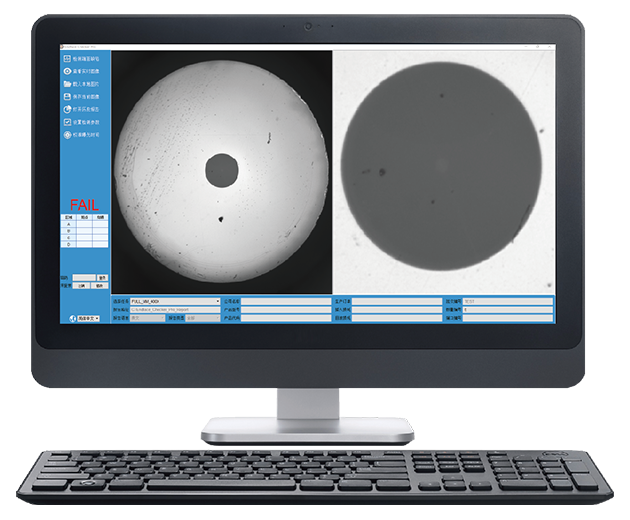
This instrument uses a high-intensity light source to illuminate the fiber end face. Any spots or scratches on the end face are magnified by the optical system, digitized by a camera, and ultimately displayed to the user on a computer monitor. The included image analysis software can accurately identify even the slightest spots and scratches in the image, and displays both the full view of the end face and a close-up of the fiber simultaneously in a split-screen format. It is primarily used in the field of fiber end-face inspection.
Dual-resolution display: see the big picture and the fine details
By using a large-format camera in conjunction with a high-resolution optical microscope and a digital imaging system, the system provides the widest possible view of the end face and automatically captures and displays the fiber area with individual magnification.
Parametric Standard Settings
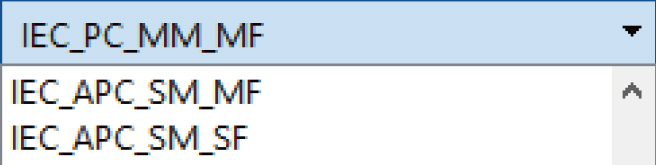
It features built-in IEC testing standards, and parameters can be customized and saved as tasks. Multiple users can apply the same task, thereby avoiding judgment errors caused by human visual inspection.
Simply connect it to your computer to get started—no additional power source required.
The device connects to the computer via a USB 3.0 cable, which provides both power and high-speed data transfer, making it truly plug-and-play.
Automatic analysis and evaluation, quantification of test results
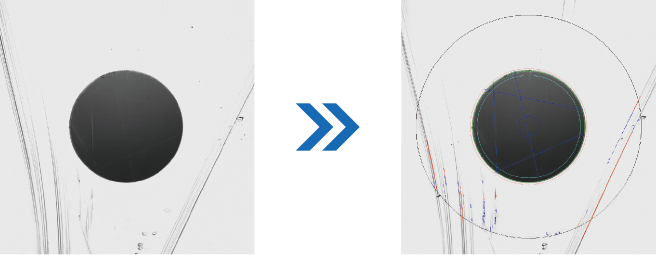
Using advanced image recognition algorithms, the system automatically analyzes and evaluates fiber end faces without the need for manual intervention. Inspection results are presented in the form of images, data, and reports.
Touch-activated start
Equipped with touch-sensitive switches, the system initiates detection with a simple touch—no need to press keys or open software—maximizing convenience for employees.
Automatically generate reports
A separate report is generated after testing for easy reference by engineers or clients. The report is in HTML format to avoid copyright issues with Microsoft Office.
Parameterized standard settings
Built in IEC detection standards, parameters can also be customized,modified, and saved as tasks. Different people use the same task to avoid judgment bias caused by human eye recognition.
Automatic analysis and judgment
By using advanced image recognition algorithms, automatic analysis and judgment of the fiber end face can be achieved without the need for manual intervention. Display the detection results in the form of images, data, and reports
Providing technical services and customer support throughout the entire product lifecycle
Instructions and Detailed Explanation
This section provides detailed product operation guides, feature explanations, and FAQs to help you quickly master the core features, fully leverage the device’s capabilities, and achieve independent and efficient operation and maintenance.
If you have specific application requirements or questions about product selection, our sales experts will provide you with personalized, one-on-one consultation and recommend the optimal solution tailored to your specific needs.







 Advantages
 Configuration
 Downloads
 Service
 Related